I gave Claude the same two prompts, only one wrote tests!
You have probably given Claude Code a go by now, maybe you have gone all in or maybe you are still poking around. For your hobby project…
You have probably given Claude Code a go by now, maybe you have gone all in or maybe you are still poking around. For your hobby project this has certainly felt like magic.
Then you bring it into a real team, something breaks, the agreements and architecture you and your team agreed upon is suddenly fading away and you are getting increasingly frustrated and spend most of your time fine tuning a very explicit prompt — this is the gaps skills will close!

What is a Skill?
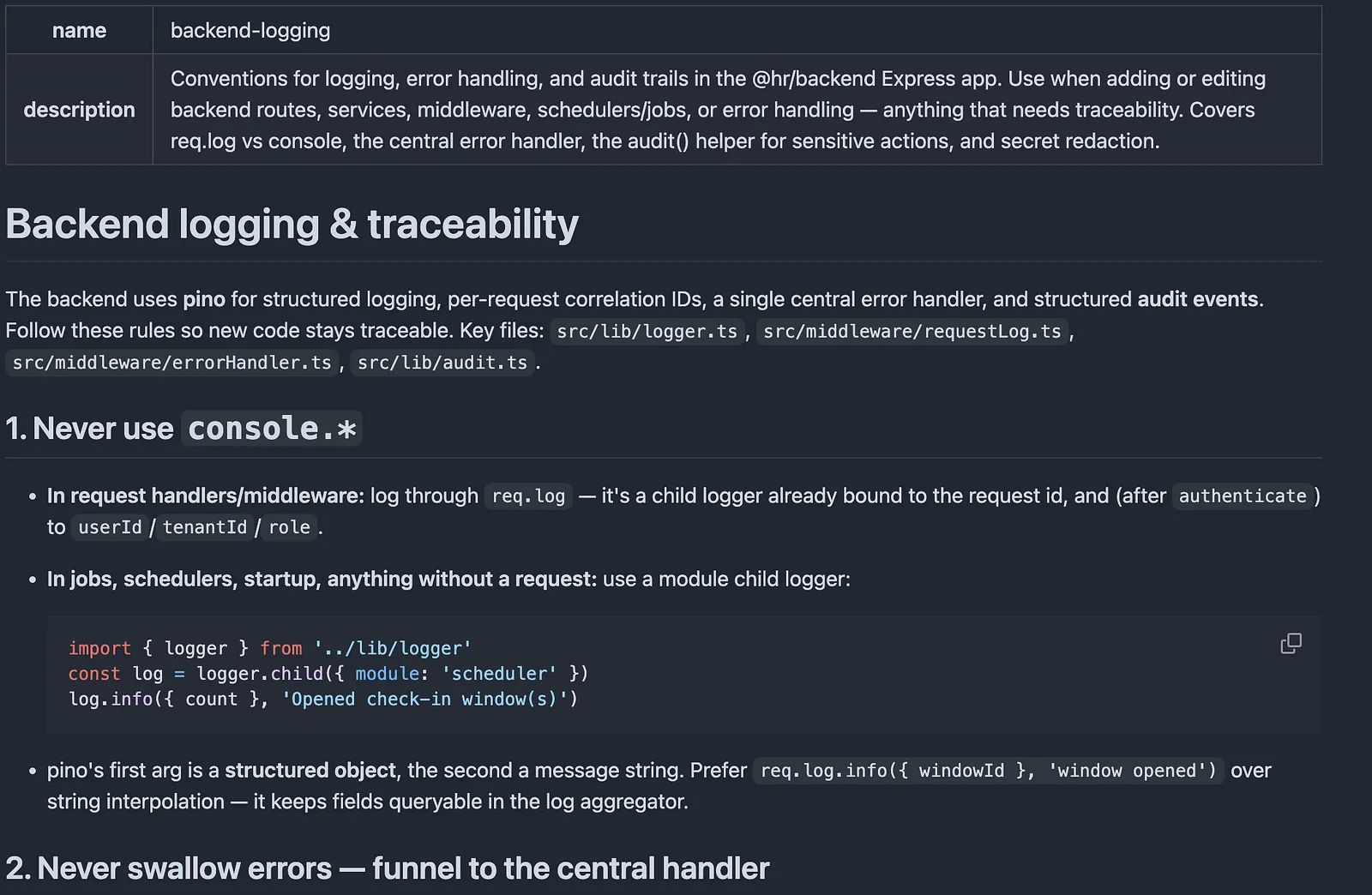
A skill is a simple markdown file that tells Claude WHEN and HOW to do something. In the example below I have defined a ‘backend-logging’ skill that tells Claude the conventions for logging in my backend application.
When Claude is generating code and touches the backend, it will automatically detect the skill based on the description and apply the needed conventions.
The Experiment
For this experiment we will create a greenfield application in two different scenarios: one with skills and one without skills, both using the same prompt:
I want you to create a sample backend that exposes a rest api, use typescript and node. It should have 5 endpoints, some basic logging and it should be for a task management system
Without skills
We got a fully functional backend for a simple task management system, works great! There is logging through a middleware defined in index.ts and all endpoints are returning what I would expect.
export const router = Router();

function isValidStatus(value: unknown): value is TaskStatus {
  return typeof value === 'string' && (TASK_STATUSES as string[]).includes(value);
}

// 4. Update a task
router.put('/tasks/:id', (req: Request, res: Response) => {
  const { title, description, status } = req.body ?? {};

  if (title !== undefined && (typeof title !== 'string' || title.trim() === '')) {
    return res.status(400).json({ error: 'title must be a non-empty string' });
  }
  if (status !== undefined && !isValidStatus(status)) {
    return res.status(400).json({ error: `status must be one of: ${TASK_STATUSES.join(', ')}` });
  }
  if (description !== undefined && typeof description !== 'string') {
    return res.status(400).json({ error: 'description must be a string' });
  }

  const updated = taskStore.update(req.params.id, {
    title: typeof title === 'string' ? title.trim() : undefined,
    description,
    status,
  });
  if (!updated) {
    return res.status(404).json({ error: 'Task not found' });
  }
  res.json(updated);
});
Architecture — Flat
Dependency — Imported Singleton
Logging — Custom system logger
Tracing — requestId per request
Tests — None
With skills
Now I will run the same prompt, but scaffold the project with four skills: add-endpoint, api-conventions, layered-architecture-and-tests and logging-conventions.
Claude now utilises the skills to create the desired folder structure, injects dependencies, implements tests, utilises pino for logging and reuses a trace-id from incoming requests.
task-api-with-skills
└── src/
    ├── api/
    │   └── taskRoutes.ts
    │   ├── tests/
    │        └── taskRoutes.test.ts
    ├── services/
    │   └── taskService.ts
    ├── data/
        └── taskRepository.ts
taskRoutes.ts
  router.put('/tasks/:id', (req: Request, res: Response) => {
    const { title, description, status } = req.body ?? {};

    if (title !== undefined && (typeof title !== 'string' || title.trim() === '')) {
      return res.status(400).json({ error: 'title must be a non-empty string' });
    }
    if (status !== undefined && !isValidStatus(status)) {
      return res.status(400).json({ error: `status must be one of: ${TASK_STATUSES.join(', ')}` });
    }
    if (description !== undefined && typeof description !== 'string') {
      return res.status(400).json({ error: 'description must be a string' });
    }

    const updated = service.updateTask(req.params.id, {
      title: typeof title === 'string' ? title.trim() : undefined,
      description,
      status,
    });
    if (!updated) {
      return res.status(404).json({ error: 'Task not found' });
    }
    res.json(updated);
  });
taskService.ts
  updateTask(id: string, input: UpdateTaskInput): Task | undefined {
    const updated = this.repo.update(id, input);
    if (!updated) {
      getLogger().debug({ taskId: id }, 'task_update_target_missing');
      return undefined;
    }
    getLogger().info({ taskId: id, status: updated.status }, 'task_updated');
    return updated;
  }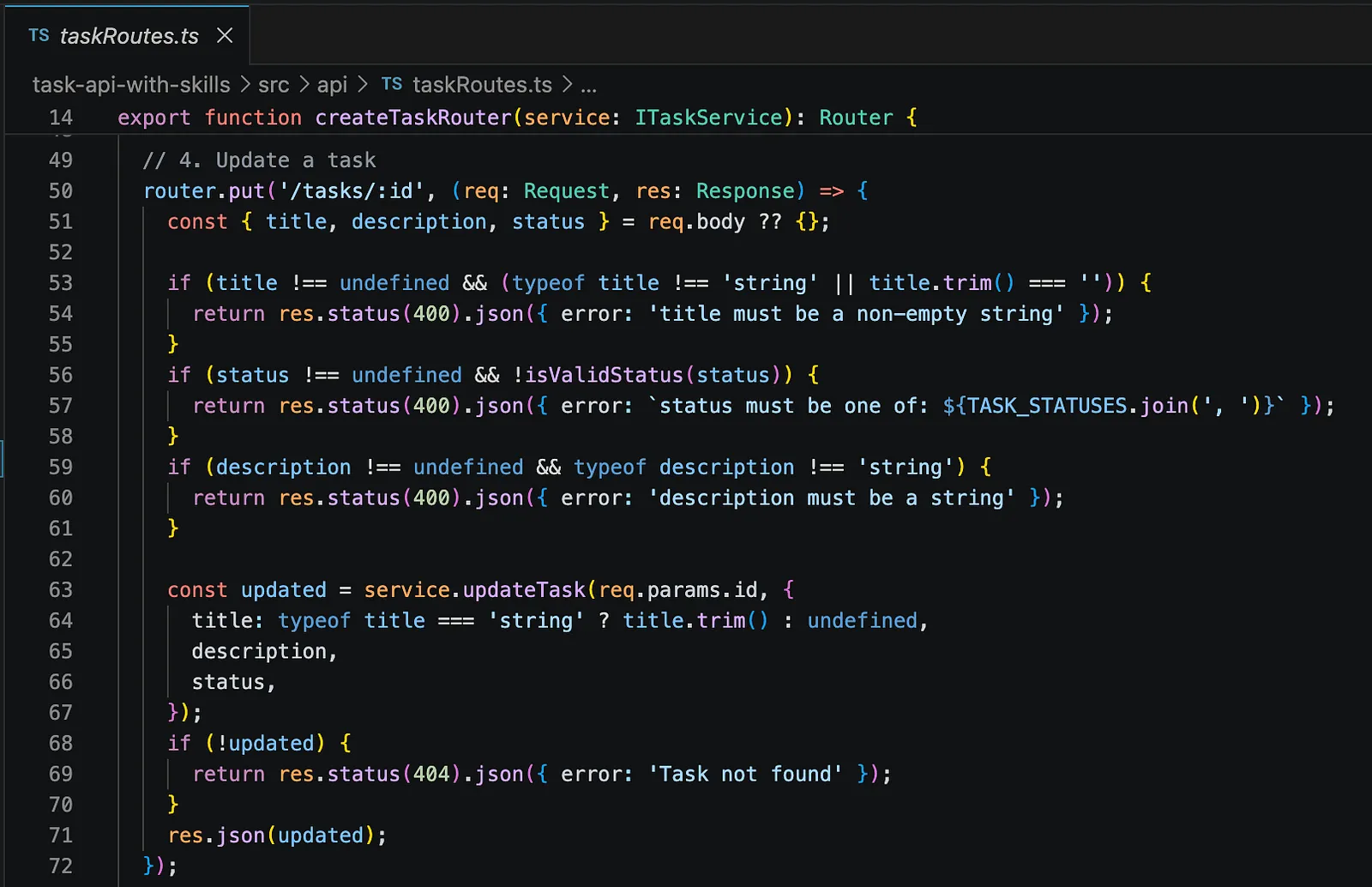
API Layer
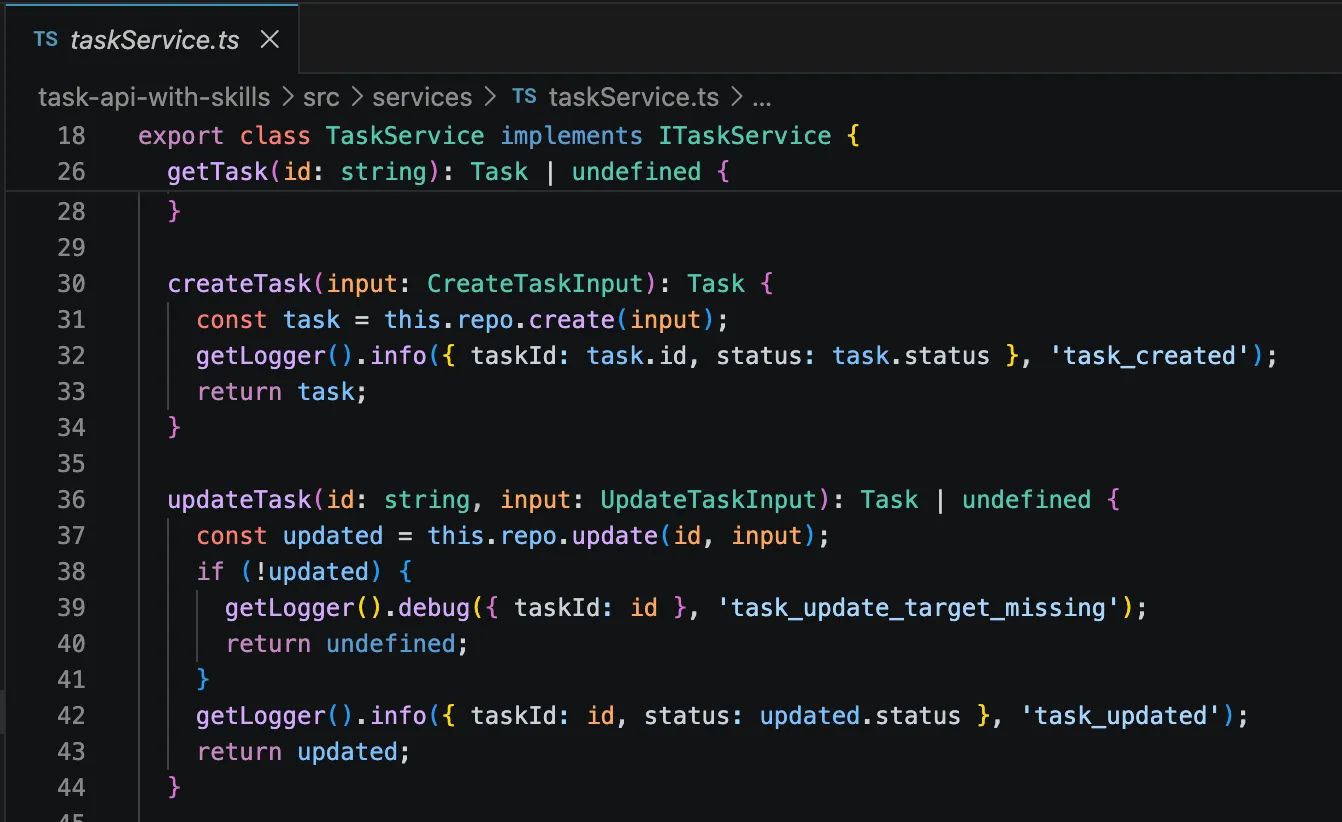
Service Layer
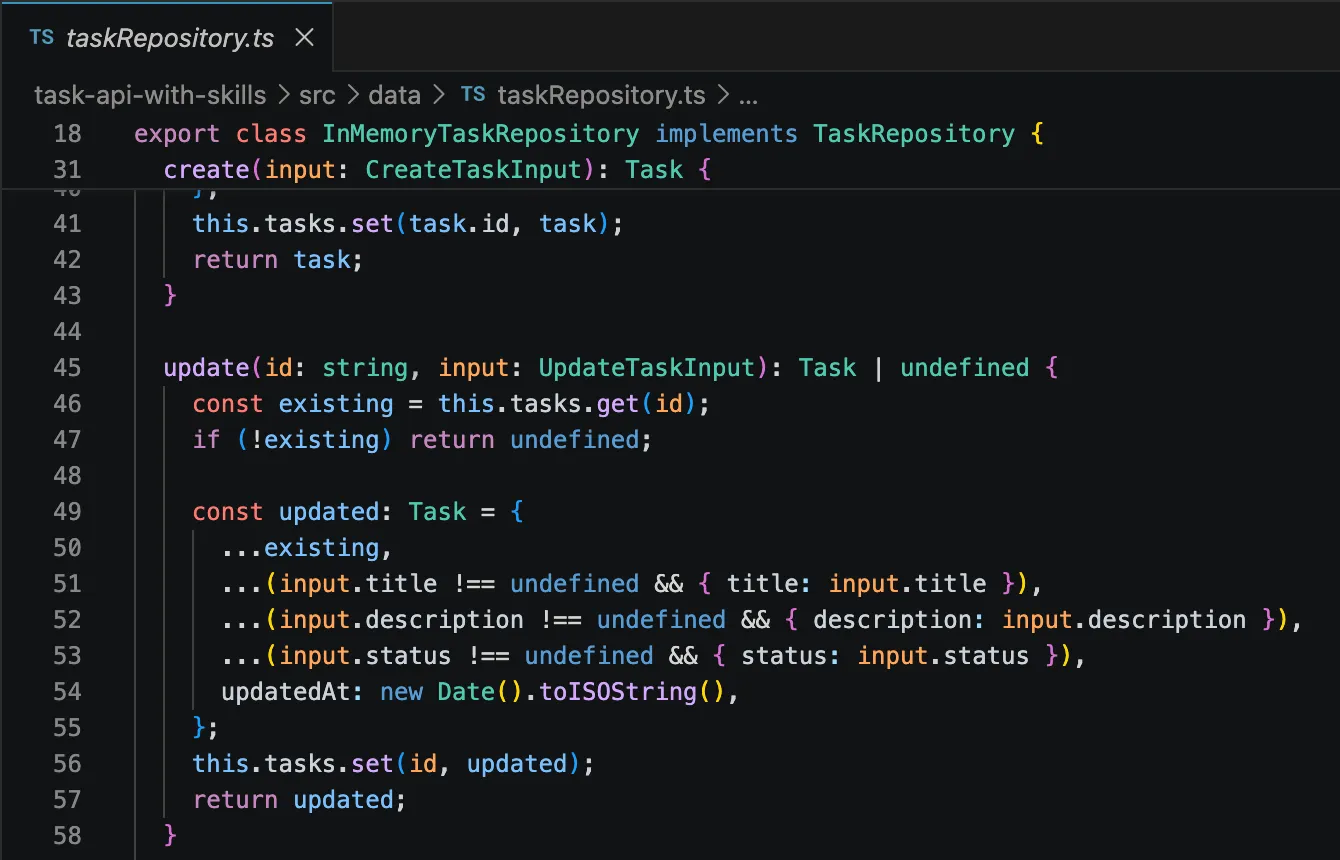
Data Layer
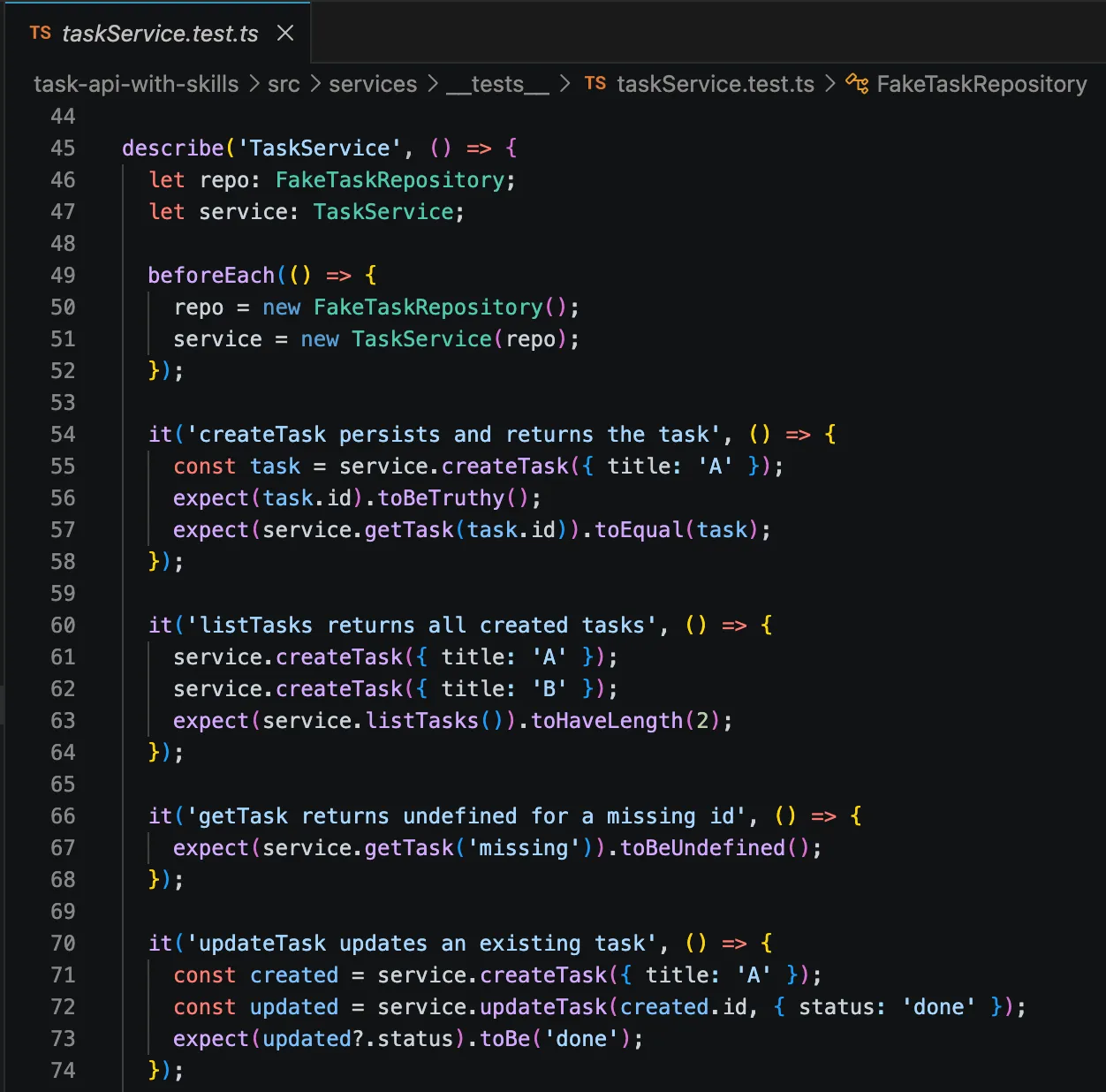
Unit tests
Architecture — Layered: API -> Service -> Data
Dependency — Constructor injected
Logging — pino + pino http
Tracing — reused from inbound header, applied in all layers
Tests — 26 unit tests
The results
There is no winner in this experiment, Claude simply did what it was told. We had two drastically different outcomes with the same prompt for our greenfield task management system.
As you can see, utilising skills can help you and your team enforce rules and agreements that you have made in terms of design, testing, security, architecture and more.
When skills are not needed
Skills are so easy to create that I usually always do it, that being said, if you are just experimenting or doing a throwaway project they are not really necessary.
Make your own skill
There are a few different types of skills, what we have covered here are project specific skills and you should store these in your .claude folder, under a new /skills folder.
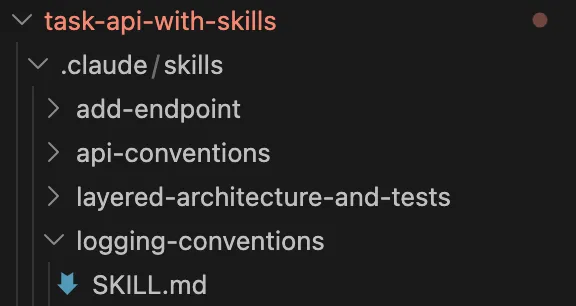
Template
---
# The `name` must be kebab-case, unique, and match the folder name.
# This is the identifier Claude uses internally.
name: your-skill-name

# The `description` is THE most important field — it is the ONLY thing Claude
# reads when deciding whether to load this skill. Write it for the matcher, not
# for humans. State plainly:
#   1. WHAT the skill does
#   2. WHEN to use it (the trigger conditions — file paths, keywords, task types)
# Be specific. Vague descriptions never trigger; over-broad ones trigger always.
#
# Good:  "Coding conventions for the payments service. Use whenever editing,
#         adding, or reviewing code under src/payments/. Covers error handling,
#         DTO style, and the repository pattern."
# Weak:  "Helps with coding." (too vague — never fires when you need it)
description: >-
  <One or two sentences: what this skill does and exactly when Claude should
  use it. Name the triggers — directories, file types, keywords, or task kinds.>
---

# <Skill Title>

<One-line statement of what following this skill achieves. Optional but nice.>

## When this applies

<Restate the trigger conditions in prose. Helps Claude confirm relevance once
the skill is loaded. e.g. "Any edit to files under `src/api/`" or "Any request
to add a new endpoint.">

## Rules

<The core of the skill. Concrete, checkable instructions — not vibes.
Prefer imperative bullets over paragraphs. Order by importance.>

- <Rule 1 — state it as a directive: "Always...", "Never...", "Prefer X over Y">
- <Rule 2>
- <Rule 3>

## Conventions / Patterns

<Show the house style with SHORT code examples. Examples teach faster than
descriptions. Show the right way; optionally contrast with the wrong way.>

```text
# ✅ Do this
<example of the correct pattern>

# ❌ Not this
<example of what to avoid, and why>
```

## Checklist (optional)

<A quick self-check Claude can run before finishing. Great for review-type skills.>

- [ ] <thing to verify>
- [ ] <thing to verify>

## Notes / Gotchas (optional)

<Edge cases, exceptions, "if you see X do Y". Anything that trips people up.>